


Turnkey & Ready-made WordPress Websites: Turnkey WordPress Websites Ready to Launch Fast
by in Turnkey & Ready-Made WordPress Websites onTurnkey & Ready-made WordPress Websites: Turnkey & Ready-made WordPress Websites: Build a Stronger Online Presence Faster
A professional website is no longer optional for a modern business, nonprofit, consultant, creator, or local service provider. Yet designing, developing, testing, and launching a website from an empty screen can consume weeks of planning, technical work, and expensive revisions. Turnkey and ready-made WordPress websites provide a practical alternative: a complete, professionally structured foundation that can be customized, branded, and published without starting from zero.
These websites combine the flexibility of WordPress with the efficiency of a prepared digital product. Instead of coordinating designers, developers, copywriters, and hosting specialists separately, you receive a coordinated solution intended to move your project from concept to launch quickly. The result is not merely a template. A well-built turnkey website includes a logical page structure, responsive layouts, conversion-focused sections, essential functionality, and an administrative environment that makes everyday updates manageable.
Whether you need a portfolio, company website, online store, booking platform, blog, or landing page system, a ready-made solution can shorten the distance between having an idea and presenting it professionally online. It gives you a reliable starting point while preserving room for growth, personalization, and strategic improvement.
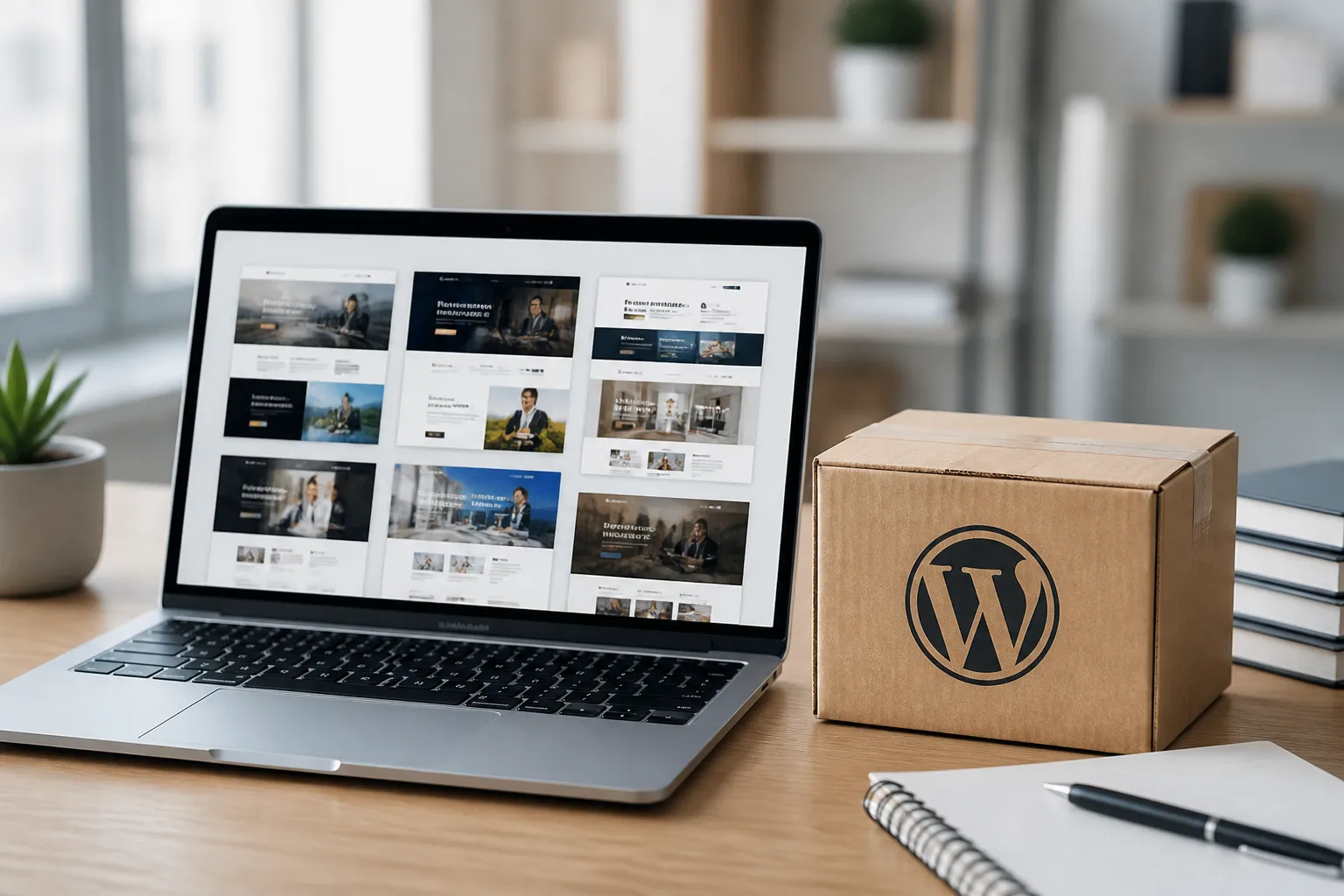
What Turnkey WordPress Websites Include
A turnkey WordPress website is designed to be usable with minimal technical assembly. Its exact components vary by provider and package, but a comprehensive solution commonly includes installation, theme configuration, page templates, navigation, contact forms, responsive behavior, basic search optimization settings, and integration with essential tools.

A Complete Visual Foundation
The visual foundation usually contains a carefully selected color system, typography, spacing rules, image treatments, buttons, headers, footers, and content blocks. These elements are arranged to create consistency across the entire site. Consistency matters because visitors form impressions quickly. A coherent interface can communicate credibility before people read every word.
Ready-made designs are often created for specific industries or business models. A fitness studio may receive class sections, trainer profiles, schedules, and membership prompts. A professional consultant may receive service pages, case study layouts, testimonials, and consultation calls to action. An online retailer may receive product grids, category navigation, cart functionality, and checkout support. Industry relevance reduces unnecessary editing and helps your site speak naturally to its intended audience.
Essential Functionality Already Organized
A prepared website can also include features that would otherwise require separate research and configuration. These may include image galleries, sliders, testimonial sections, blog archives, appointment forms, newsletter signups, social links, maps, pricing tables, and analytics connections. Ecommerce packages can support products, payments, shipping rules, taxes, customer accounts, and order management through compatible plugins.
The benefit is not simply the number of features. The greater advantage is thoughtful arrangement. Features should support a visitor’s journey rather than compete for attention. A clear page structure guides users from a problem to a solution, then toward an action such as requesting information, booking a service, purchasing a product, or joining a mailing list.
Administration Without Constant Technical Help
WordPress is popular partly because its content management system allows nontechnical users to edit pages, publish articles, upload images, and manage products. A turnkey setup can make that experience even easier by organizing menus, reusable sections, image sizes, and editing instructions. With appropriate training, your team can handle routine changes independently instead of paying for every small adjustment.
Why Businesses Choose Ready-Made Solutions
The strongest argument for a ready-made website is efficiency. Building from scratch can be valuable when a project requires unusual systems or highly specialized user experiences, but many organizations need a dependable website rather than a completely original software product. A prepared solution delivers proven structures while leaving important areas open to customization.
Faster Launch
Time has commercial value. A website that remains unfinished cannot generate inquiries, explain your offer, support customers, or strengthen your reputation. Ready-made layouts eliminate much of the early design uncertainty. You can select a suitable direction, replace sample content, apply your brand, test the important functions, and launch within a predictable schedule.
A faster launch also enables faster learning. Once the site is live, real visitors reveal which pages attract attention, which messages create questions, and which calls to action produce results. You can improve based on evidence rather than spending months debating hypothetical preferences.
Controlled Investment
A custom project often involves discovery fees, design revisions, development hours, plugin research, and unexpected changes. Turnkey websites generally provide a clearer starting price and a defined scope. This makes budgeting easier, especially for new businesses and smaller organizations.
Lower initial cost does not mean lower standards. The value depends on the quality of the design, code, support, licensing, and optimization. A responsible buyer should compare what is included, identify recurring charges, and confirm whether future customization is practical.
Professional Credibility
Visitors judge businesses through digital experiences. A cluttered layout, broken mobile menu, slow page, or confusing contact process can weaken trust. A professionally prepared WordPress website establishes visual order and technical competence from the beginning. It gives your audience a clear way to understand who you serve, what you offer, and why they should respond.
Flexible Growth
A ready-made website should never trap you in a fixed presentation. WordPress supports additional pages, content types, integrations, ecommerce functions, and marketing tools. You can begin with essential services and expand when demand develops. This staged approach protects your budget while keeping long-term possibilities open.
Customization That Makes the Website Yours
Ready-made does not mean generic. The quality of your final website depends on how thoughtfully the foundation is adapted to your identity and audience.
Brand Personalization
Start with brand essentials: logo, colors, fonts, photography, tone of voice, and preferred terminology. Use these consistently in headings, buttons, menus, and supporting graphics. If your brand guide is incomplete, a turnkey project can become an opportunity to establish practical standards that your future marketing materials can follow.

Avoid replacing every element without a reason. Professional customization preserves the layout’s proven hierarchy while changing the details that communicate your distinct position. This approach creates a site that feels original without sacrificing usability.
Content Adaptation
Sample text is useful for showing structure, but it should never remain as placeholder copy after launch. Rewrite each section around your audience’s questions. Explain the problem you solve, describe your process, present evidence, clarify pricing or next steps, and provide direct contact options.
Strong content is specific. Instead of claiming that you offer “excellent solutions,” explain what happens, for whom, how long it takes, and what outcome customers can reasonably expect. Include testimonials, certifications, project examples, guarantees, or frequently asked questions when they genuinely support trust.
Conversion Planning
Every important page should have a purpose. A service page may encourage a consultation. A product page may lead to checkout. An educational article may invite readers to subscribe. Make the next step visible, relevant, and easy to complete.
Use one primary call to action per section whenever possible. Clear buttons such as “Request a Quote,” “Book an Appointment,” or “View the Collection” are more useful than vague labels such as “Click Here.” Test forms on mobile devices, reduce unnecessary fields, and confirm that messages reach the correct recipient.
Performance, Accessibility, and Search Readiness
A beautiful website must also be dependable. Before publishing, evaluate its speed, responsiveness, accessibility, and search foundations.
Mobile Responsiveness
Many visitors use phones as their primary browsing device. Check every page at several screen widths. Text should remain readable, buttons should be easy to tap, images should not overflow, and menus should open reliably. Forms deserve special attention because small fields and awkward keyboard behavior can cause abandoned inquiries.
Speed Optimization
Large images, excessive plugins, external scripts, and poorly configured hosting can slow a website. Compress photographs, select modern formats where suitable, remove unused extensions, and enable caching through a reputable solution. Speed improvements benefit user satisfaction and can support search visibility.
Accessible Experiences
Accessibility helps people with different abilities use your website. Provide meaningful image alternatives, sufficient color contrast, descriptive link text, logical heading levels, keyboard-friendly navigation, and labels for forms. Do not rely on color alone to communicate information. These practices also improve clarity for all visitors.
Search Foundations
A turnkey website cannot guarantee search rankings, but it can provide a sound technical base. Use descriptive page titles, concise meta descriptions, readable URLs, one clear main heading, internal links, and useful original content. Connect an analytics platform and search monitoring tool so you can understand traffic and indexing behavior. Local businesses should maintain accurate contact information and develop a properly managed business profile.
Security, Maintenance, and Ownership
Launching a website is the beginning of stewardship, not the end of the project. WordPress, themes, plugins, hosting, and passwords require ongoing attention.
Keep core software and extensions updated, but create backups before significant changes. Use strong unique passwords, limit administrator access, activate appropriate security controls, and review unfamiliar accounts. A maintenance plan can monitor uptime, perform updates, test backups, and address compatibility issues.
Clarify ownership before purchase. Ask whether you receive administrator access, design files, content rights, plugin licenses, and the ability to move the site to another host. Confirm which services require annual renewal and whether support is included. Transparent terms protect your investment and prevent unpleasant surprises later.
Choose a provider that explains limitations honestly. No theme can solve unclear positioning, weak content, or an ineffective offer. Likewise, no provider should promise guaranteed rankings or limitless revisions without defining the work. Trust grows when expectations, responsibilities, delivery stages, and support channels are documented.
Choosing the Right Package
Begin by defining the website’s purpose. List the actions you want visitors to take, the information they need before acting, and the systems your team already uses. Then compare packages according to function rather than appearance alone.
Review the page count, editing method, mobile behavior, ecommerce compatibility, form handling, performance approach, and accessibility standards. Request examples of live sites, not only demonstration images. Explore those sites on a phone and desktop. Look for clear navigation, fast loading, readable content, and an experience that matches your expectations.
Consider future needs. If you expect multiple languages, memberships, bookings, subscriptions, or advanced product variations, confirm compatibility before committing. Replacing a foundation later can cost more than selecting a suitable package initially.
Ask practical questions about delivery time, revisions, training, hosting, backups, support, licenses, and migration. A detailed answer indicates operational maturity. A vague answer deserves caution, even when the visual design appears impressive.
A Practical Launch Process
A successful project benefits from a defined sequence. First, gather your brand assets, business information, images, service details, legal pages, and contact preferences. Next, select the most suitable structure and identify changes that are essential for launch.
During configuration, replace demonstration content, connect forms, establish navigation, configure analytics, and integrate required services. Review the website as a visitor rather than as its creator. Can someone understand the offer within seconds? Can they find prices, location, policies, and contact details? Does each important page lead naturally to the next action?
Before launch, test links, forms, buttons, checkout steps, email notifications, mobile layouts, browser compatibility, and error pages. Check spelling, legal information, image licenses, and privacy disclosures. Create a backup of the approved version.
After launch, announce the website through email, social channels, directories, and existing customer relationships. Monitor behavior, inquiries, sales, and search performance. Improve the highest-impact issues first. A website becomes more valuable through continuous learning, not through a single launch event.
Frequently Asked Questions
Is a ready-made website the same as a basic template?
Not necessarily. A basic template may provide only visual styling. A turnkey website can include configured pages, functionality, responsive layouts, content guidance, integrations, and launch support. Always examine the actual scope because terminology differs among providers.
Can I use my own domain and hosting?
Usually, yes, although requirements vary. Some packages include hosting, while others are installed on your existing account. Confirm domain ownership, migration options, server requirements, email arrangements, and backup responsibilities before work begins.
Can I change the design later?
Yes. WordPress sites can usually be expanded or redesigned. However, extensive changes may require custom development or a different theme system. Ask how the website is built and whether updates will preserve your content.
Do I need coding knowledge?
No, not for routine editing. You may need professional assistance for advanced integrations, custom features, security incidents, or complex design changes. Clear documentation and training can make everyday management straightforward.
Is ecommerce included?
Only when explicitly stated. Ecommerce requires product management, payment processing, taxes, shipping, customer emails, security, and legal considerations. Verify which components are configured and which accounts or fees you must provide.
Will the website rank highly on Google?
No ethical provider can guarantee a ranking. A website can be technically prepared for search, but results depend on content quality, competition, authority, location, user experience, and ongoing optimization. Treat search growth as a continuing marketing activity.
Who writes the website content?
Packages differ. Some include professional copywriting, some provide sample text, and some require you to supply all content. Confirm the number of pages, revision rounds, research process, and ownership of delivered copy.
What happens after launch?
You may receive training, maintenance, technical support, or no continuing service, depending on the agreement. Establish a plan for updates, backups, security, content changes, performance checks, and future improvements.
Can I connect email marketing and social media?
In most cases, yes. WordPress supports many newsletter, social, analytics, calendar, and customer relationship integrations. Check whether the desired service has a compatible plugin and whether subscription or configuration costs apply.
How long does launch take?
A simple project may launch quickly when assets and decisions are ready. Delays commonly result from missing content, slow approvals, custom requests, third-party account setup, or incomplete feedback. A shared schedule keeps responsibility clear.
Conclusion
Turnkey and ready-made WordPress websites offer an intelligent route to a credible, functional online presence. They reduce unnecessary complexity, control early investment, accelerate launch, and provide a flexible platform that can grow with your organization. Their greatest value appears when a prepared foundation is combined with thoughtful branding, useful content, clear conversion goals, solid performance, and responsible maintenance.
Choose based on strategy rather than visual appeal alone. Confirm ownership, support, licenses, accessibility, security, and future compatibility. Customize the experience around real customer needs, then measure what happens after launch. With the right package and a disciplined process, you can avoid the delays of building from scratch while still creating a website that feels distinctive, trustworthy, and genuinely useful.
A professional web presence should help people make confident decisions. A well-selected WordPress solution gives you the tools to do exactly that, sooner and with greater control.
WP AI Autoblogging Beginners Guide

Best WordPress AI Autoblogging Plugin

WP Learning 101

Free YouTube Backlink Generator Software

Latest Product


