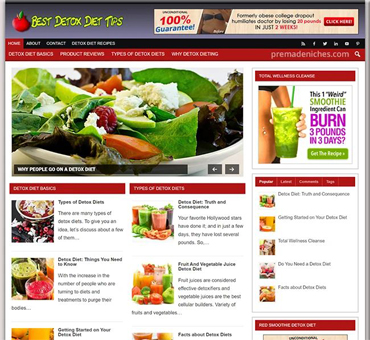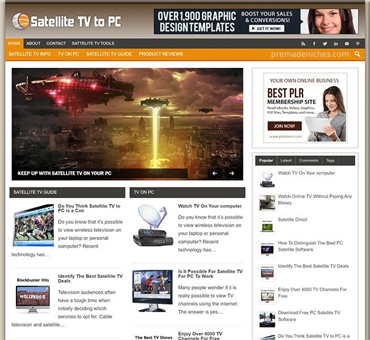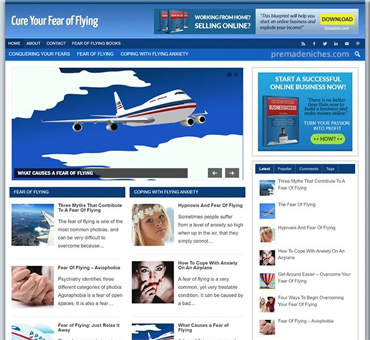


Turnkey WordPress Website Content Management Made Simple
by Chad Portnova in Turnkey & Ready-Made WordPress Websites onStart with a Manageable Content System
A turnkey WordPress website should make publishing feel routine rather than technical. The core idea is simple: prepare the site structure, define a repeatable editorial process, and give every contributor clear responsibilities. WordPress supplies the dashboard, editor, media library, menus, taxonomies, revisions, and scheduling tools. A reliable content management system connects those features into practical habits.
Begin by listing the information visitors need. Typical categories include services, products, team information, frequently asked questions, case studies, resources, and contact details. Separate permanent pages from regularly updated posts. Pages usually support navigation and explain the business. Posts can deliver news, advice, announcements, or educational material. This distinction prevents a growing blog from becoming confused with the site’s main structure.
Next, identify the people involved. One person may write, another may review, and an administrator may control settings, plugins, users, and security. Assigning roles reduces accidental changes. WordPress roles such as Administrator, Editor, Author, and Contributor offer different permissions, although exact capabilities can be modified by plugins or custom configurations. Give each person only the access needed for their work.
Write a short publishing policy. It should explain the audience, preferred tone, formatting standards, approval steps, image requirements, and update schedule. A policy does not need to be complicated. A one-page checklist often provides more value than a long document nobody consults.
Build the Site Around Visitor Tasks
Design decisions should follow what visitors need to accomplish. A service business may prioritize an overview, proof of expertise, pricing guidance, and a contact route. An online publication may emphasize categories, authors, search, and related articles. A membership organization might need event information, registration, resources, and account access.
Create a simple site map before entering content. Put the homepage at the top, then connect essential pages beneath it. Keep important information close to the primary navigation, and avoid creating several competing routes to the same destination unless there is a clear reason. A useful menu normally contains a limited number of broad choices, with secondary pages grouped logically.
Use descriptive page titles. “Services” is acceptable when the organization offers a small, obvious set of services, but a more specific label may help visitors understand the destination immediately. Keep labels consistent across navigation, buttons, headings, and page descriptions. If a button says “Request a consultation,” do not send users to a page titled “General inquiries” without explanation.
Choose a theme that supports the site’s actual needs. A visually attractive theme is not automatically suitable for editorial work. Check whether it offers responsive layouts, accessible color choices, reusable patterns, flexible templates, and compatibility with the block editor. Avoid selecting a theme solely because its demonstration site contains impressive photography. Demonstration content can hide limitations that become apparent after replacement.
Test the structure with representative tasks. Ask someone unfamiliar with the project to find a service, locate a recent article, and submit a contact form. Observe where they hesitate. Their questions reveal structural problems more reliably than internal assumptions.

Create Content That Is Easy to Maintain
Every important page should have a clear purpose. Before drafting, write one sentence describing the visitor’s intended outcome. For example, “After reading this page, a potential client understands our process and knows how to request an estimate.” This sentence keeps the copy focused and gives reviewers a practical basis for judging whether the page works.
Use headings to organize information, not merely to enlarge text. Start with one main heading, then use subheadings for meaningful sections. Keep paragraphs reasonably short, explain unfamiliar terms, and place important details near the point where readers need them. Lists help present requirements, steps, features, or comparisons, but they should not replace explanation when context matters.
Build reusable content patterns for recurring elements. A call-to-action section, testimonial block, author information panel, or service summary can be stored as a pattern, depending on the WordPress setup. Reuse improves consistency and reduces editing time. However, review each instance after inserting it. A standard block may contain wording, links, or claims that do not suit every page.
Use a content brief for substantial pieces. Include the audience, purpose, proposed title, key questions, internal links, required evidence, call to action, and review owner. The brief prevents late discovery of missing information and reduces circular feedback. It also lets several writers contribute without producing radically different results.
Treat claims carefully. Product capabilities, prices, guarantees, legal statements, health information, and performance promises can become outdated or require professional review. Add an owner and review date to sensitive pages. If the source of a claim changes, update the published page and any related summaries, buttons, or downloadable files.
Manage the WordPress Editor Efficiently
The block editor works best when content is assembled in logical sections. Add the title first, then establish the heading hierarchy, write the body, insert media, and finish with links and metadata. Saving a draft early protects work and creates a checkpoint. Preview the page at different screen widths before publication because spacing, columns, tables, and buttons can change substantially on smaller screens.
Use descriptive filenames before uploading images. “Office-team.jpg” is more useful than “IMG_4821.jpg,” especially when the media library becomes crowded. Write alternative text that communicates the image’s purpose. If an image is decorative, an empty alternative-text value may be appropriate; if it conveys information, describe that information concisely. Do not treat alternative text as a place for repeated keywords.
Compress images without making them unreadable. Select dimensions appropriate to their display size, use a suitable format, and avoid uploading multiple enormous originals when a smaller version meets the design requirement. Check captions, credit information, and licensing before publication. A well-organized media library saves time months later.

Keep links meaningful. Link descriptive words rather than vague phrases such as “click here.” Test internal links after changing slugs, removing pages, or reorganizing categories. When a destination must change, use a planned redirect rather than leaving visitors at an error page. Record important redirects in a shared maintenance document.
Establish a Reliable Publishing Workflow
A practical workflow has identifiable stages: planning, drafting, editing, approval, publishing, and review. Each stage should have one owner, even when one person performs several roles. Ambiguous ownership causes drafts to remain unfinished and makes errors difficult to trace.
Planning starts with a content calendar. The calendar can be a spreadsheet, project board, or editorial plugin. Record the working title, format, target audience, owner, status, planned date, and required reviewers. Include updates to existing pages, not only new articles. Updating a valuable page may serve visitors better than producing another similar post.
During drafting, writers should work in a controlled location and use consistent naming. A title such as “Homepage revision two final” creates confusion. Use a status system instead: Idea, Briefed, Drafting, Editing, Approved, Scheduled, Published, and Updating. The status should describe the work’s condition, not someone’s personal opinion of its quality.
Editing should examine both language and purpose. Check whether the opening answers the visitor’s question, whether sections appear in a sensible order, and whether calls to action match the page’s intent. Then check spelling, links, headings, image descriptions, and formatting. Separate structural editing from proofreading when possible; correcting commas before solving a weak argument wastes effort.
Before publication, confirm the author, category, featured image, excerpt, URL, visibility, publication date, and relevant search or social fields. Confirm that forms, downloads, embedded media, and buttons work. If content contains a regulated or high-risk claim, obtain the appropriate review rather than relying on a general editor.
Schedule posts only after checking the site’s time zone and the intended publishing date. After publication, open the live page in a private browser window and test it as a visitor would. The dashboard preview is useful, but it cannot reveal every caching, permission, or integration issue.
Keep Content Accurate and Current
Content management does not end when a page is published. Assign regular review intervals according to risk and change frequency. A seasonal announcement may need attention within weeks, while a stable company-history page may require only occasional checking. High-impact information deserves more frequent review than low-consequence background copy.
Create a content inventory. Record each important URL, content type, owner, last review, next review, status, and action needed. Possible actions include keep, revise, consolidate, redirect, archive, or delete. The inventory prevents forgotten pages from quietly becoming inaccurate.

Watch for signals that content needs attention. Visitors may ask questions that the page should answer. Staff may report repeated misunderstandings. Analytics may show that people leave after reaching a confusing section, although analytics alone cannot prove why. Search terms, support requests, broken-link reports, and changes to products or policies provide additional evidence.
When revising, preserve useful history. WordPress revisions can help recover earlier text and identify changes, but they are not a complete archival strategy. Before major restructuring, export or document the current version according to the organization’s retention requirements. Avoid deleting content impulsively when a redirect, update, or consolidation would serve visitors better.
Review taxonomies as the site grows. Too many categories make browsing difficult, while overly broad categories provide little guidance. Tags should have a clear purpose rather than becoming a collection of near-synonyms. Rename or merge terms carefully, because taxonomy changes may affect URLs, navigation, archives, and internal links.
Protect Access, Performance, and Accessibility
Content quality depends on a dependable site. Keep WordPress, themes, plugins, and server components maintained through a controlled process. Test significant updates before applying them to a critical production site when practical. Maintain current backups stored separately from the website, and periodically confirm that restoration is actually possible. A backup that has never been tested is an assumption, not a recovery plan.
Use strong, unique credentials and enable multifactor authentication where available. Review user accounts regularly and remove access that is no longer required. Avoid sharing administrator credentials. A named account creates accountability and makes it easier to change one person’s permissions without disrupting everyone else.
Limit plugins to those that have a clear purpose and are maintained appropriately. Every additional extension can introduce settings, conflicts, or maintenance work. Remove unused themes and plugins after confirming they are not required. Do not install multiple tools that perform overlapping functions unless there is a documented reason.
Accessibility should be part of ordinary editing. Use sufficient contrast, descriptive headings, keyboard-friendly links, captions where needed, and alternatives for meaningful visual content. Do not communicate essential information through color alone. Check forms for clear labels and useful error messages. Automated tools can identify some problems, but manual review remains important.
Performance also begins with content choices. Large images, unnecessary video, excessive animations, and crowded pages can slow loading and distract visitors. A clean page with focused copy often performs better than a visually overloaded one. Test on mobile devices and slower connections, not only on an office computer.

Measure Results Without Losing Judgment
Measurement should answer practical questions. Are visitors finding important pages? Do readers complete the intended action? Which content generates useful inquiries, registrations, downloads, or conversations? Select a small set of meaningful indicators rather than collecting every available number.
Interpret data in context. A page with many visits may attract people who leave because it answers their question immediately, which is not necessarily failure. A page with fewer visits may support high-value decisions. Combine quantitative signals with form feedback, support questions, sales conversations, and direct usability observations.
Use experiments cautiously. Change one significant element at a time when possible, define the outcome beforehand, and allow enough time for a reasonable comparison. Do not declare success from a short fluctuation. Seasonal demand, campaigns, technical problems, and changes in audience behavior can affect results.
Make improvement part of the calendar. Each month, select a small number of pages for review. Identify one problem, make a focused adjustment, and record what changed. Examples include clarifying a heading, shortening a form, improving an internal link, replacing an outdated image, or adding a missing answer. Small, documented improvements are easier to sustain than occasional redesigns.
A Practical Launch Checklist
Before launch, confirm that the domain, hosting, SSL configuration, email delivery, and backup process are ready. Review menus, page titles, headings, forms, buttons, and internal links. Check the site on common screen sizes and test keyboard navigation. Remove placeholder text, demonstration images, unused draft pages, and accidental private notes.
Verify that the homepage explains who the organization serves and what visitors can do next. Confirm that contact details agree across the site. Check legal and privacy information with appropriate advice for the organization’s jurisdiction and activities. Do not assume a template supplies every required disclosure.
Create a short handover document. It should list administrator contacts, hosting details, update responsibilities, backup arrangements, editorial rules, plugin purposes, and emergency procedures. Store it securely, keep it current, and ensure more than one authorized person can access it.
After launch, monitor forms, emails, links, and performance. Invite a few people to complete realistic tasks and report confusion. Treat early observations as improvement opportunities, not as proof that the entire plan failed.
Frequently Asked Questions
Is a turnkey WordPress website truly maintenance-free?
No. Turnkey means the initial structure and tools are prepared, not that content, security, accessibility, and technical upkeep disappear. Someone must review updates, manage users, check backups, refresh information, and respond to problems. A defined maintenance routine makes this work predictable.
Who should be allowed to publish?
Give publishing authority to people who understand the organization’s standards and approval requirements. Writers can draft, editors can review, and administrators can manage technical settings. Smaller teams may combine responsibilities, but they should still use a second-person check for sensitive, public, or high-impact content.
How often should pages be reviewed?
There is no universal interval. Review timing should reflect how quickly information changes and what happens if it becomes wrong. Policies, prices, services, event details, and safety-related information deserve frequent checks. Stable background pages can follow a longer schedule, provided an owner remains accountable.
Should every page target a search phrase?
No. Every page should serve a visitor purpose first. Clear language, useful organization, accurate information, and accessible design matter more than forcing repeated phrases into copy. Search visibility can support discovery, but it should not distort the explanation or make reading unpleasant.
What should happen to old posts?
Assess them individually. Update information that remains useful, consolidate overlapping articles, redirect replaced URLs, archive material with continuing reference value, and remove content that is inaccurate or no longer appropriate. Before deleting, check incoming links, internal references, and any business or legal reason for retention.
Is the block editor enough for every website?
It is suitable for many sites, especially when the theme and content model are designed around it. Some organizations need custom fields, specialized templates, membership functions, commerce tools, or editorial integrations. Add complexity only when it solves a defined requirement and can be maintained responsibly.
How can a team avoid accidental changes?
Use appropriate roles, separate staging from production when feasible, maintain backups, and document approval steps. Teach contributors how revisions, previews, reusable patterns, and scheduled posts work. Encourage people to ask before changing global templates, menus, permalinks, or plugin settings.
What is the first improvement after launch?
Review the most important visitor task. Ask a person unfamiliar with the site to complete it while explaining where they expect to click. Compare their experience with the intended path, then fix the clearest obstacle. This produces more useful insight than changing colors or adding decorative features.
Conclusion
Simple content management comes from deliberate structure, not from minimizing every feature. Define visitor tasks, organize pages clearly, assign responsibilities, use repeatable briefs and workflows, and review published information on a planned schedule. Protect access, test backups, maintain performance, and treat accessibility as part of everyday publishing.
A turnkey WordPress website becomes genuinely useful when the team can operate it confidently after launch. The strongest system is one that makes the right action obvious: writers know where to draft, reviewers know what to check, administrators know what to protect, and visitors can find accurate answers without friction. Start with a focused inventory, document the process, and improve one meaningful page at a time.
WP AI Autoblogging Beginners Guide
Best WordPress AI Autoblogging Plugin

WP Learning 101
Free YouTube Backlink Generator Software

Latest Product